
PrestaShop for online stores with more complex needs
Author
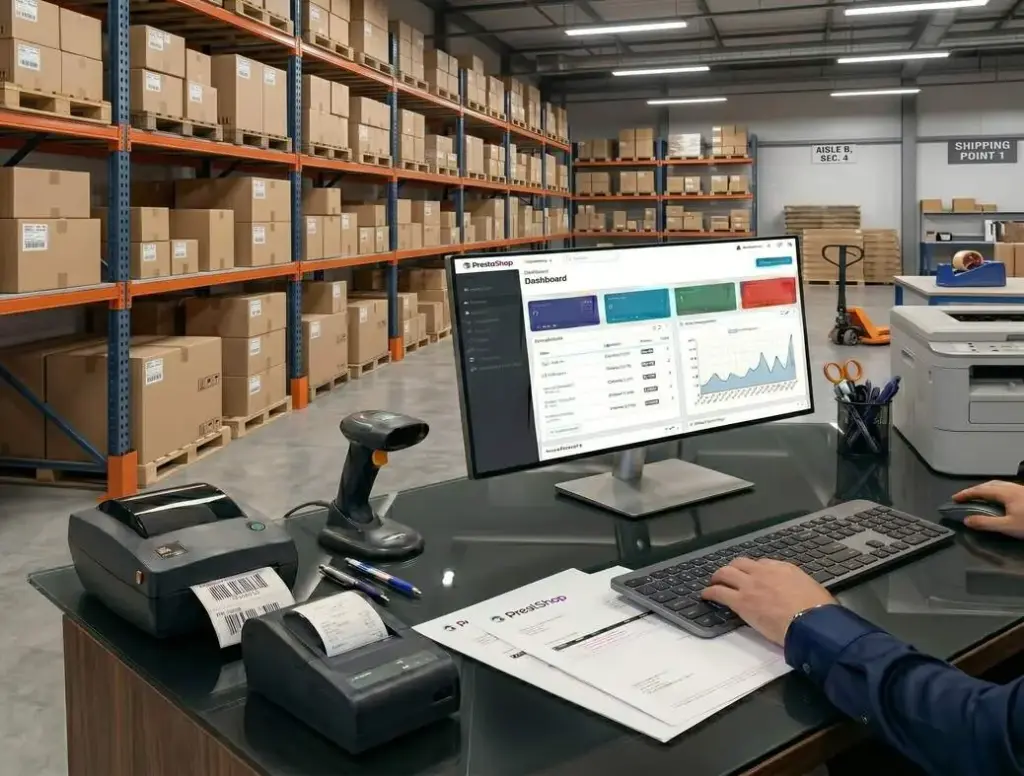
PrestaShop is a well-known open-source e-commerce platform. It was built for online retail from the start, with more flexibility than a simple store builder or an add-on for an existing website.
Products, categories, customers, orders, payments, shipping, promotions and stock management sit at the heart of the platform.
PrestaShop provides a complete storefront and the tools to run it.
PrestaShop works well when the online shop is one of the company’s main sales channels. This includes mid-sized and larger retailers, wholesalers, B2B companies, brands selling abroad and businesses that need to connect stock management, ERP, PIM, accounting, payments, couriers or marketplaces.
Getting the most from PrestaShop takes a careful implementation, reliable hosting, a clear category structure, well-chosen modules and ongoing technical support.
The trade-off A well-planned PrestaShop store can support sales for years. A poorly built one can be slow, hard to maintain and expensive to develop.
What is PrestaShop and how does it work?
PrestaShop is a standalone e-commerce platform. WooCommerce runs as a WordPress plugin, while Shopify and Shoper are hosted subscription services.
The open-source edition can run on hosting you choose, giving you control over the store’s data, code and development.
Current versions use the Symfony framework for parts of the platform, giving developers a familiar foundation for maintaining and extending the store.
A well-built store on appropriately sized infrastructure can handle spikes in orders during events such as Black Friday.

The open-source edition carries no software licence fee. Building a professional store still takes investment.
Budget for discovery, UX and UI design, development, configuration, secure hosting, suitable modules, integrations, optimisation and maintenance.
PrestaShop reports that more than 230,000 stores run on its software worldwide. Shop owners have access to an established community, specialists, modules and integrations.
A standalone platform built for selling online
Product and order management, customer accounts, checkout, payments, shipping, promotions and stock are core features of PrestaShop.
With a content management system, the shop often starts as an extension of the company website.
In PrestaShop, the catalogue, orders and sales workflows shape the site from the start.
This approach suits businesses that need to manage
- a wide product range,
- multiple categories,
- different product variants,
- promotions,
- integrations,
- higher order volumes,
- several customer groups.
You can still publish category descriptions, search-friendly copy, guides, landing pages and informational sections. PrestaShop’s core strength is running a shop. A site with extensive editorial needs may need extra tooling.
What this means for your store
Plan PrestaShop around how the company sells, especially if you need to handle a large range, integrations, promotions, several customer groups or multiple markets.
Who should choose PrestaShop?
PrestaShop suits businesses that need to organise a growing product range, control how orders are handled and keep room for expansion.
PrestaShop can be a good fit when you need a store that can grow with the business, from the catalogue to fulfilment.
It also suits mid-sized businesses whose requirements have outgrown a basic hosted shop.
PrestaShop is particularly useful for
mid-sized and larger product stores with extensive ranges, variants, categories and more involved checkout requirements,
shops with large catalogues that need to organise products by category, brand, attribute, feature, filter or variant,
wholesalers and B2B businesses that need customer-specific prices, account groups, company accounts, quote requests or integrations, with modules or custom work where needed,
businesses that use ERP, PIM or warehouse systems and want the shop to share data with the rest of their operations,
brands planning to sell abroad that need several languages, currencies and market-specific configurations,
businesses that have outgrown a basic subscription platform and need more control over the code, data, integrations and development.
Do you have a large catalogue or sell to businesses? We can help you assess whether PrestaShop fits.

The main advantages of PrestaShop
PrestaShop combines catalogue management, flexible promotions, multiple storefronts and an established range of integrations. Its open-source code carries no licence fee and can be extended to suit the shop.
Built for e-commerce
Products, categories, the basket, orders, customer accounts, promotions, shipping and payments are central to the platform.
Many tools a shop needs are therefore available in the core software.
The platform is set up to help the team manage the range, process orders, run promotions, track stock and expand sales.
When a shop needs to handle many products, variants, discounts, shipping options and payments, a dedicated e-commerce platform can give the team a better starting point.
Managing a large product catalogue
PrestaShop suits stores with wide ranges and products that vary by size, colour, brand, features or other attributes.
A well-organised catalogue helps customers find the right product.
A larger range needs clear categories and product names, useful filters, accurate descriptions and photos, and links between related items.
Good catalogue management helps customers, supports search and ad campaigns, and makes life easier for the warehouse and sales teams.
Catalogue management The larger the range, the more important consistent product data becomes.
Flexible promotions, discounts and pricing rules
PrestaShop supports discounts, promo codes, special prices, seasonal offers, promotions for selected customer groups and rules based on the basket total.
You can run time-limited offers, sales, loyalty promotions and campaigns designed for different purchase scenarios.
That flexibility is useful in competitive markets, for seasonal sellers and for shops that rely on promotions and product campaigns.
Multistore management from one dashboard
PrestaShop’s multistore feature lets you manage several storefronts from one dashboard. It can help when you run several brands, sell in different markets or want to separate B2C and B2B sales.
Multistore can support
- separate shops for different countries,
- different language versions,
- different product catalogues,
- different prices and currencies,
- distinct sales rules for different customer groups,
- separate B2C and B2B stores.
Use multistore when the business needs several storefronts managed in one place.
Otherwise, it can add unnecessary work to setup and day-to-day management.
ERP, PIM, warehouse, payment and shipping integrations
An online store often needs to share data with ERP, PIM, warehouse and accounting systems, as well as payment gateways, couriers, marketplaces, marketing tools and analytics. PrestaShop can connect to these systems.
Reliable integrations reduce manual data entry, speed up order processing, prevent mistakes and improve stock control.
Assess integrations by how much work they remove or simplify for the team.
A well-integrated shop can automatically update product records, prices, stock levels, order statuses, invoices and shipping details.
Why integrations matter As orders increase, these connections become part of the shop’s daily operations.
No licence fee for the open-source edition
The open-source edition of PrestaShop carries no software licence fee. By comparison, a hosted subscription or enterprise licence can be a significant budget item.
Budget for analysis, design, setup, configuration, modules, integrations, data migration, optimisation, hosting and technical support.

You can direct spending towards the features, integrations and improvements your store needs.
Source code access and custom development
Access to the source code gives the business more control over the shop. With a hosted platform, customisation often depends on what the provider supports.
You can adapt integrations, product displays, pricing rules, B2B workflows, checkout and connections to external systems.
A sound implementation combines existing modules, configuration and custom development where each makes sense.
Plan changes so that the shop remains maintainable and can still be updated as it grows.
Drawbacks and limitations
Budget and plan for development, modules, hosting, updates and ongoing support. Adding features without a plan can make the store harder to maintain.
PrestaShop needs a well-planned implementation
You can launch a basic store quickly. A professional implementation takes research, planning, UX design, configuration, testing, suitable modules, reliable integrations and stable hosting.
Many of the problems seen in PrestaShop stores trace back to planning and implementation.
Unclear categories, incompatible modules, weak hosting, skipped tests and rushed fixes make the store difficult to extend.
At scale, these problems show up quickly as slow pages, difficult updates, unreliable data synchronisation or delays in adding features.
Plan before you build Agree on the store’s requirements before choosing modules or starting development.
Paid modules and extensions can increase costs
The core software is open source. Some features require paid modules or development work.
This often applies to integrations, advanced B2B, payments, shipping, SEO, marketing automation, marketplaces, reporting and other automated workflows.
Allow for these costs as part of developing the store.
A launch budget that covers installation alone can miss features the business relies on to sell.
Decide which features are essential at launch, which can wait and which you can leave out. This keeps costs down and avoids unnecessary modules.
A custom storefront takes more work
Building a custom storefront goes beyond changing the appearance of an existing theme.
For a larger store, the design affects product discovery, mobile usability, page speed, checkout and conversion.
A designer and developer should plan how customers will browse, filter, compare variants, add items to the basket and complete an order.
An off-the-shelf theme can be enough for a simple shop. A more complex store needs a design and user experience tailored to its range, customers and sales model.
PrestaShop needs stable hosting
Reliable hosting is especially important if the store has a large catalogue, many modules, several integrations, substantial search or ad traffic, or seasonal peaks.
Assess expected loads before choosing a hosting plan.
As the store grows, pay attention to server performance, PHP configuration, the database, caching, image optimisation, monitoring and security.
A slow store can make buying harder, reduce conversions and weaken the results of ad campaigns and SEO work.
Page speed affects how easily customers can buy and how the shop performs.
Too many poorly chosen modules can slow the shop down
PrestaShop has a wide choice of modules. Each additional one needs to earn its place.
If you keep adding modules without checking quality, compatibility and performance, the shop can become difficult to maintain.
Modules from different vendors can conflict, slow the site, complicate updates and increase support costs.
Choose tested modules that meet a specific need and fit the roadmap. A small custom feature can sometimes be easier to maintain than another large extension.
Updates need to be planned and tested
Keep PrestaShop, its modules, the theme and the server environment up to date. Plan and test changes before releasing them.
An update can affect checkout, payments, shipping, integrations, modules, the storefront and the admin dashboard.
Back up the store, check module compatibility and test the main purchase flows before release.
Include regular technical support in the plan for running the store after launch.
Monitor the shop and schedule routine updates and tests.
Does your PrestaShop store need fixing or further development?

PrestaShop for SEO, GEO and visibility in AI search
PrestaShop can support SEO with sound technical configuration, logical categories, useful product descriptions, fast pages and control over indexing.
Pay attention to
categories and sub-categories,
product pages,
URLs,
page titles and meta descriptions,
headings,
product and category descriptions,
guides,
internal linking,
filters and parameters,
page load times.
Each can affect whether people find the shop in Google search.
Plan SEO into the architecture from the outset, including categories, product names, filters, descriptions, variants and indexing.
PrestaShop gives larger retailers room to build search visibility when the content and product data are organised well.
Clear category descriptions, specific product details, guides, FAQs and useful internal links help customers and search engines find what they need.
GEO addresses visibility in generative AI answers. Logical categories, specific product descriptions, clear attribute names and direct answers to customers’ questions make the store easier for AI systems to interpret.
Visibility in Google and AI search depends on how the shop is built, organised, written and maintained, including how quickly it loads and how well the catalogue is kept up to date.
Product information and search Give each product useful, consistent information beyond the manufacturer’s standard description.
PrestaShop for international e-commerce
PrestaShop supports multiple languages, currencies and sales configurations, which can help when you sell across borders.
Translation is one part of setting up a shop for a new market.
Each market may need different payments, shipping, tax rates, messaging, store terms, pricing, language, product copy and SEO.
Multistore lets you run country-specific storefronts, settings and sales models in a shared setup.
This can give the business more control over expansion by keeping different storefronts within a common system.
Plan for logistics, payments, tax, store terms, customer support, translation, SEO and integrations in each market.
PrestaShop provides tools for selling abroad. The business still needs a plan for entering each market.
PrestaShop compared with WooCommerce, Shopify, Shoper and Magento
Choose a platform around the business model, sales volume, budget, growth plans and integration needs.
PrestaShop often fits between a simple hosted platform and a more complex enterprise system.
PrestaShop and WooCommerce
PrestaShop suits dedicated product stores that need larger catalogues, flexible promotions and more involved sales workflows.
WooCommerce often suits shops built into a WordPress website with a blog, guides and other marketing or educational content.
The choice depends on how the shop fits into the rest of the website.
Consider PrestaShop when a substantial product store is the main project. WooCommerce is often a better fit when the shop sits within a larger content-led site.
PrestaShop, Shopify and Shoper
Shopify and Shoper can make it easier to launch a simple shop with fewer infrastructure decisions.
With these subscription services, the provider takes responsibility for parts of the infrastructure.
PrestaShop gives you more control over the code, data, modules and integrations. With a self-hosted setup, the business also takes responsibility for development, hosting and maintenance.
A hosted subscription platform may be sufficient for a small store that needs to launch quickly. PrestaShop may fit when custom features and integrations are more important.
PrestaShop, Magento Open Source and Adobe Commerce
Magento Open Source and Adobe Commerce can support larger, more complex projects. Adobe Commerce is the commercial option. Consider the additional cost and expertise when the shop needs to support several markets, warehouses or teams and a complex architecture.
PrestaShop may offer enough flexibility for mid-sized and larger stores with a smaller technical budget or simpler operating requirements.
Compare the catalogue, integrations and operational requirements to see which can support the project.
PrestaShop often makes sense for companies whose needs sit between a simple hosted shop and a complex enterprise platform.
How much does a PrestaShop store cost?
Cost depends on the scope, UX design, integrations, automation and plans for further development.
The larger and more complex the shop, the more work it usually takes to build.
Allow for
- visual and UX/UI design,
- product pages,
- the basket and checkout,
- the mobile experience,
- category structure,
- data migration,
- modules,
- integrations,
- payments and shipping,
- B2B features,
- language versions,
- SEO,
- hosting,
- technical support.
A basic shop costs less than a platform with ERP and PIM connections, marketplace integrations, several languages and a custom design.
There is no single price that covers every PrestaShop project.
A quote should start with requirements. Decide what the shop needs on day one, what can be added later and what can be left out.
This keeps the budget manageable and avoids building features before you know whether you need them.
How to budget Price the full sales system the business needs, including the work that follows installation.
What makes a PrestaShop store work well?
Plan the categories, product catalogue, modules, integrations, hosting, checkout, SEO and ongoing support together.
In Evostudio projects, we have found that decisions about how the shop is structured, connected and maintained have more impact than the installation itself.
Design around the work the shop needs to support
- the team’s daily tasks,
- product management,
- order processing and data synchronisation,
- store performance,
- future development.
Many issues start when the shop grows without a plan. A module is added here, a quick fix there, and then an integration is rushed to meet a deadline.
Months or years later, the shop still runs, but it is slow, difficult to update and expensive to extend.
A maintainable shop needs
sound architecture,
tested modules,
good hosting,
maintainable code,
tests,
backups,
monitoring,
a development roadmap.
PrestaShop gives teams room to extend the store when they manage changes with these foundations in place.
Is PrestaShop worth choosing?
Choose PrestaShop when the shop will be a significant sales channel and the business plans to develop it over time.
It suits businesses that need more control than a basic subscription platform offers, without the cost and complexity of a full enterprise implementation.
PrestaShop can suit your business if
01
you have an extensive product range,
02
the shop needs ERP, PIM, warehouse or marketplace integrations,
03
you sell to other businesses,
04
you plan to sell abroad,
05
you need flexible tools for managing products, promotions and customer groups,
06
you have outgrown a simpler platform and need more control.
If the shop is handling more products, orders, integrations and processes, PrestaShop can give you a foundation for further growth.
Other platforms may fit different needs.
A hosted subscription service can suit a simple shop that needs to launch quickly, with little technical upkeep or upfront investment.
Consider WooCommerce if the shop is mainly an addition to a WordPress company website with a blog and other substantial content.
If the project starts with enterprise requirements, consider Magento Open Source, Adobe Commerce or a custom solution.
Choose PrestaShop because it fits the catalogue, sales workflows and technical requirements of the project.
Unsure whether PrestaShop fits how you sell?
Summary
PrestaShop is an open-source platform for businesses that need more control over their online shop than a basic subscription service provides.
It suits mid-sized and larger retailers, wholesalers, B2B sellers, stores with extensive catalogues and businesses planning to sell abroad.
It supports flexible catalogue management, promotions, integrations, multiple markets and custom development.
Allow for careful implementation, reliable hosting, a well-planned architecture, compatible modules and ongoing technical support.
PrestaShop can provide a durable foundation when you plan to run and develop the shop as a long-term sales channel.
FAQs about PrestaShop
What is PrestaShop?
PrestaShop is an open-source platform for building and growing online stores. It handles products, categories, customers, orders, payments, shipping, promotions and modules that extend the shop.
Is PrestaShop free?
The open-source edition carries no licence fee. Budget for design, setup, modules, integrations, hosting, optimisation and technical support.
Is PrestaShop suitable for a professional online store?
Yes. It can suit businesses with larger catalogues, integrations, B2B sales, international plans or a need for more control than a hosted subscription platform offers.
Who is PrestaShop best suited to?
It is a good fit for many mid-sized and larger retailers, wholesalers and businesses that sell abroad or need to connect ERP, PIM, warehouse, payment, courier or marketplace systems.
Is PrestaShop good for SEO?
Yes, with sound technical configuration, logical categories, useful product descriptions, fast pages, indexing controls and well-planned internal links.
Is PrestaShop suitable for B2B sales?
Yes. PrestaShop can support customer groups, tailored prices, company accounts, quote requests, ERP integrations and wholesale workflows. Some requirements call for modules or custom development.
Can PrestaShop support a large online store?
Yes, with reliable hosting, a sound implementation, performance work, well-chosen modules and ongoing support. For an enterprise project, compare it with Magento Open Source, Adobe Commerce or a custom solution.
Does PrestaShop support international sales?
Yes. It supports multiple languages, currencies and sales configurations. Plan logistics, payments, taxes, store terms, translation and SEO for each market.
What are the main advantages of PrestaShop?
Its main advantages include catalogue management, flexible promotions, multiple storefronts, integrations, access to the source code and room for custom development. The open-source edition carries no licence fee.
What are the main drawbacks of PrestaShop?
It takes a well-planned implementation, reliable hosting and ongoing maintenance. Paid modules can add costs, incompatible ones can cause conflicts, and updates need testing.
Should you choose PrestaShop or WooCommerce?
PrestaShop suits dedicated product stores with larger catalogues and more complex sales processes. WooCommerce works well when the shop is part of a WordPress site with a blog or other substantial content.
Should you choose PrestaShop or Shopify?
Shopify handles much of the infrastructure through a subscription. A self-hosted PrestaShop store gives you more control over code, data and integrations and requires you to arrange hosting, implementation and support.
Do you need a developer to run a PrestaShop store?
You can configure a basic shop with existing modules. Custom designs, integrations, B2B workflows, performance work, data migration and major checkout changes generally need a developer.
How much does a PrestaShop store cost?
Allow for UX/UI design, modules, integrations, language versions, B2B features, data migration, SEO, hosting and ongoing support. Installing the core software is a small part of the total.


Get in touch and tell us how we can help.
Join the businesses that trust us with their projects.




